Sherry Wood
Updating an old blog post should solve a real problem for the reader. A changed plan allowance, a broken resource, an unclear explanation or a missing example can justify useful work. Changing a date or adding a paragraph without improving the answer does not give the page a new purpose.
The practical approach is to review a small group, choose the most important issue and make a focused improvement. You do not need to rebuild the whole website every time a provider changes a price or you learn a better way to explain a process.
Affiliate disclosure: I may earn a commission if you join a paid plan through my links, at no extra cost to you. DIY Websites HQ is independently operated.
In this guide
Decide why a page needs attention
Name the problem before opening the editor. Is the information inaccurate? Does the introduction promise something the article never answers? Have readers asked a question the page overlooks? Does a comparison use outdated terms? A specific reason keeps the update from becoming an open-ended redesign.
Some pages can remain as they are. An accurate, clear explanation does not need a new publication date merely because a month has passed. Record that it was reviewed and move on when there is no useful change to make.
Keep urgent factual corrections separate from optional improvements. A broken signup destination or an incorrect product limitation deserves attention before a slightly awkward heading. The maintenance queue should reflect the effect on readers, not only which task seems easiest to complete.
Build a small review inventory
List the page URL, purpose, main recommendation, important source links and known issue. Add the last meaningful update and the action you plan to take. A modest spreadsheet or document is enough; the point is to make the work visible and repeatable.
Add a brief completion note after editing. Record the corrected fact, replaced visual or added example so the next review begins with evidence of what changed. That is more useful than a row containing only “updated.”
Group related pages when a change affects several articles. A new hosting plan may appear in a review, a comparison and a beginner guide. Reviewing that group together reduces the chance of leaving contradictory information elsewhere on the site.
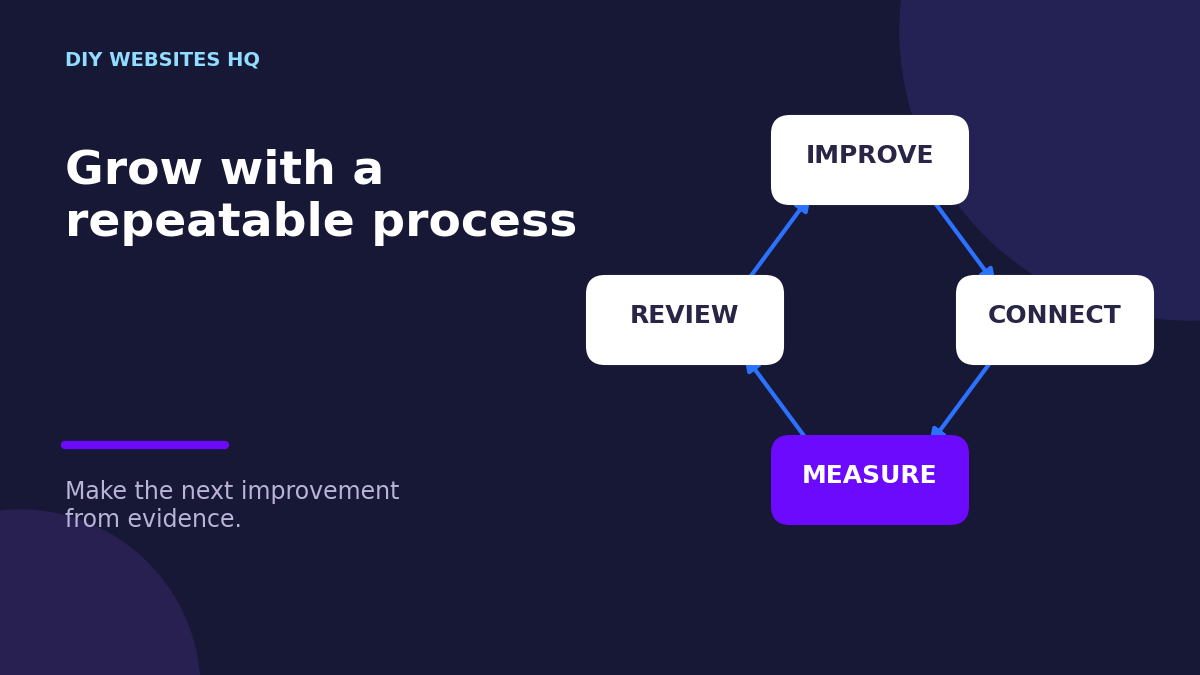
Use our website growth guide to keep maintenance connected with the wider project. Publishing another article is one possible action. Improving a useful existing resource may be the more sensible next step when the library already covers the reader’s question.
Sort the work before starting
The fictional six-page queue below shows four possible outcomes. Two pages need corrected facts, two need stronger explanations, one needs better links and one can be left alone. The example demonstrates a sorting method rather than prescribing a ratio for your own website.
An example of sorting a small review batch. These counts are not an audit of DIY Websites HQ or a universal maintenance ratio.
- Correct changed facts2 pages
- Strengthen the answer2 pages
- Improve useful links1 page
- Leave as it is1 page
Scale: 0–2 pages. Values are shown beside each label.
Write the proposed change beside each page. “Replace the old plan allowance and revise the conclusion” is clearer than “refresh SEO.” For a weak explanation, identify the missing step or example. For a link issue, name the destination that would help the reader continue.
Do the high-impact corrections first, then schedule improvements that need more evidence. If an article requires a substantial new test, do not disguise a quick wording change as a complete reassessment. The scope of the update should match the work actually performed.
Recheck the facts that drive the conclusion
Read the primary source again for details that can change. For products and services, confirm the exact model or plan, price conditions, included features and limitations. Save the source and date checked in the maintenance record so the next review has a starting point.
Check related statements together. A new price may change a cost table, a recommendation and an image caption. Correcting only the first visible number can leave the article internally inconsistent. Read the verdict again after changing the evidence.
Our product-review guide and comparison workflow explain how to separate verified details from interpretation. Apply the same standard during maintenance that you would expect before first publication.
Strengthen the answer instead of adding filler
Read the page as someone arriving with its promised question. Does the answer appear clearly? Are important conditions explained? Can the reader complete the task without searching elsewhere for a missing step? Those questions can reveal a useful update even when every existing sentence is technically accurate.
Add a concrete example where the explanation is abstract. Replace an unsupported general statement with a verified detail or a narrower claim. Remove repeated passages that make the reader work harder to find the useful point. An improved article may be shorter afterward.
Keep the original audience in view. Do not turn a beginner tutorial into an advanced technical guide simply because you have learned more. Link to a separate advanced resource when that material would distract from the page’s main job.
Review titles and descriptions against the actual page
The title should describe what the updated article answers. Avoid keeping an old superlative or date-based claim when the new content no longer supports it. Make the main heading and search title work together rather than promising different outcomes.
Google’s title guidance discusses descriptive titles and the signals it may use for search-result title links. Its snippet guidance explains that descriptions can be drawn from the page, with a meta description sometimes used. Neither field guarantees the exact wording someone will see in search.
Write a concise description that fits the revised answer. Review the article’s manual excerpt too, because a blog grid or site search may use it separately. Metadata should help someone understand the content, not compensate for a page that does not deliver its promise.
Check pictures, charts and captions
An outdated screenshot can contradict correct text. Review the interface version, product model and labels shown in the image. Replace or clarify a visual when it would send the reader toward the wrong step. Keep a useful old illustration when it still explains the idea accurately.
For charts, verify the units, assumptions and source. Distinguish measured results from a planning example. If a graph uses hypothetical numbers, keep that label visible. Do not leave a dramatic chart in place after removing the evidence that originally supported it.
Check image descriptions and nearby explanations. A reader should understand the relevant information even if the image does not load or is being interpreted through assistive technology. Treat the caption as part of the article’s factual content rather than a decorative afterthought.
Improve incoming and outgoing links
Test important links and check whether their destinations still match the surrounding wording. A page can load successfully while no longer answering the promised question. Update the explanation as well as the address when the resource’s purpose has changed.
Then inspect the incoming side. Which existing articles should lead to this improved resource? Add a contextual link where it resolves a related question. Our internal-linking guide provides a simple map for recording those connections.
Keep affiliate destinations and disclosures accurate. Check the program’s current rules before altering its link format. A maintenance pass should preserve the reader’s understanding of when the site may earn a commission, including when a recommendation or placement changes.
Keep the URL and dates meaningful
For an update to the same article, a stable URL usually makes maintenance simpler. If the page truly needs to move, plan the redirect and update your own links. Do not create a fresh address every time you change a heading or improve an example.
Google’s date guidance discusses consistent visible and structured dates that describe publication or meaningful updates. Label an update accurately and keep a brief record of what changed. Do not imply a fresh product test when only a link was repaired.
After a substantial update, you can use the appropriate Search Console tools to request a recrawl. Google’s recrawl documentation makes clear that a request does not guarantee immediate indexing or search inclusion. Verify the public page first and then monitor the actual result.
Questions about maintaining old posts
Should I rewrite every old article?
No. Review the purpose and evidence before choosing the scope. Some pages need one correction, others need a substantial revision and some remain useful without changes. Let the reader’s problem determine the work.
Should I delete a post with little traffic?
Low traffic alone does not explain whether a page is useful. Check its relevance, accuracy, uniqueness and place in the library before deciding. A new or narrow resource may serve a real need even when it has a small audience.
What should I do after saving?
Open the public URL and check the changed sections, visuals, metadata and links. Record the completed work and the question you will review later. A saved draft is only one step; the update is finished when the visitor sees a coherent, accurate page.
Continue with AI Search & SEO
Use AI to identify a specific weakness, check the proposed change and record the result. Keep later visibility measurements separate from the publishing task.
Put the next step into practice
An older article’s images can be worth reviewing alongside its text. Check dimensions, compression and the files a visitor receives.