Use AI for SEO by giving it a specific reader, reliable source material and a clearly defined task. Let it help organize and improve the work, then check the facts, links and public result before publishing.
By Sherry Wood · Updated October 31, 2026
Start with an editorial brief rather than a keyword list
An AI assistant can produce a long list quickly, but a list is not yet a useful publishing plan. Begin with the person you want to help and the decision they need to make. Write down what you can explain from experience, what needs research and what the article should leave someone able to do.
For this worked example, imagine a beginner publishing a guide about storing a half-finished puzzle in a small apartment. The example is a planning exercise, not a tested product review or an earnings case study. The reader needs to compare practical storage options while protecting a limited workspace.
Give the assistant constraints it can use
A useful brief might specify a reader with limited space, a small project budget and no interest in building furniture. Ask the assistant to identify unanswered questions, not to pretend it has used storage products. Supply measurements or source passages only when you actually have them.
Help me outline a beginner guide about storing a half-finished puzzle in a small apartment. The reader needs portable storage and has limited shelf space. Separate questions I can answer from evidence I still need. Do not invent product tests, search volumes, prices or personal experiences.
This is an original prompt template you can adapt. Replace the subject and constraints with your own. The most useful output is a better research list and structure, not a finished article you accept without reading.
Use AI suggestions as research candidates
The assistant may suggest questions about board size, portability, piece security and storage location. Treat those as candidates to investigate. Group overlapping questions and identify which belongs on the current page. A detailed product review may need its own article, while an explanation of board dimensions can stay in the comparison.
Do not treat generated keyword numbers as measured demand. If you use a keyword tool, record the tool, market and date. If you use Search Console, distinguish questions already reported for your site from ideas you hope to target. Our keyword research guide explains the broader workflow.
Build a small evidence sheet
| Question | Evidence to obtain | How to describe it |
|---|---|---|
| Will it fit? | Available storage measurements and published product dimensions | Show units and identify the source |
| Can it move safely? | Your own test or clearly attributed product information | Do not turn a stated feature into a personal test |
| What will it cost? | Current seller price and relevant delivery charges | Date changing details |
| What is the limitation? | A documented constraint or a question still unanswered | Explain its effect on the recommendation |
The table is a research plan, not a record of completed tests. Use the same approach for software: list the plan tested, interface date, actual task and observed result. Evidence becomes easier to check when it has a defined place before drafting begins.
Ask for an outline that follows the reader’s decision
A useful sequence for the puzzle example would begin with available space, explain the storage options, compare matching criteria, discuss compromises and finish with a short choice checklist. That is more helpful than a sequence built around every keyword variation.
Read the outline before asking for prose. Delete sections that repeat the introduction or promise answers you cannot support. Add the awkward practical detail a generic outline misses: perhaps where the board goes while someone uses the table for dinner. This is where your knowledge improves the plan.
If you need help deciding what deserves its own article, use our comparison-writing guide and internal linking guide.
Draft from the evidence you actually have
Give the assistant a bounded section and the relevant notes. Ask it to preserve units, conditions and uncertainty. Review the result against those notes rather than asking the same assistant whether everything it wrote is true.
Draft the section on measuring storage space using only these notes. Keep manufacturer specifications separate from my measurements. Flag missing evidence instead of filling it in. Use plain language for a first-time reader.
A second prompt can improve organization, but repeated rewriting can also smooth away a useful qualification. Compare the revised version with the source before accepting it. Keep the specific example that explains a choice, even if it sounds less polished than a broad promise.
Check claims before improving the wording
Google’s guidance on generative AI content emphasizes accuracy, quality and relevance, including review of metadata. It also warns about producing large volumes of content without adding value. AI use is not a substitute for editorial responsibility.
Check every claim a reader might act on: price, dimensions, eligibility, product compatibility, refund terms and the result of any test. For each one, ask whether the sentence says more than the evidence establishes. “The provider lists this feature” is different from “I verified this feature works.” Keep that difference visible.
Improve the title and description after the article works
Ask for a few concise title options that accurately describe the finished article. Choose the one that identifies the task without promising a result you cannot deliver. A useful title for the example is “How to Store a Half-Finished Puzzle in a Small Apartment.” It does not need to promise guaranteed traffic or call the guide ultimate.
Write a short description naming the decisions the article helps with. Check the public title and description after saving. If a page begins with custom style code, make sure that code is not being used as the article excerpt. The search presentation should reflect the useful answer.
Review images, links and the page itself
Keep the human review in the workflow
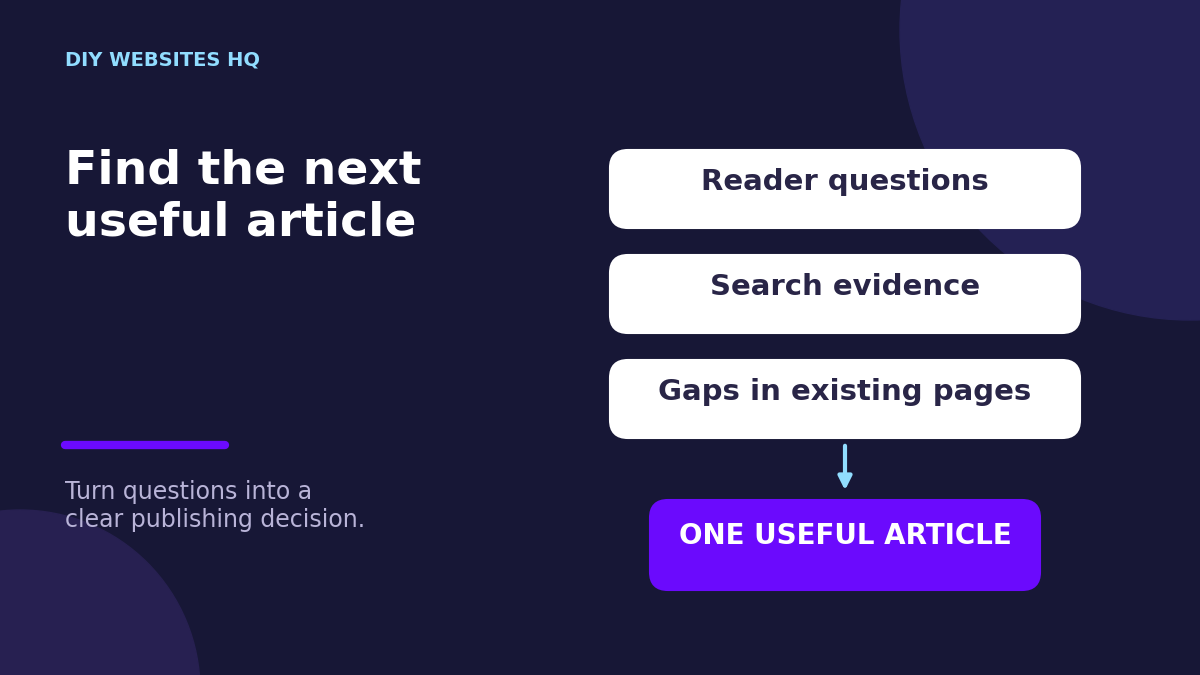
Define the reader and task
Collect what supports the answer
Organize and explain
Check claims and public output
Use an image when it explains something: a measurement, a useful interface step or a comparison criterion. Give it an accurate description. A decorative illustration should not be presented as a product test. Open every important internal link and check that the destination matches the surrounding sentence.
Then inspect the public page on the devices available to you. A table that looks tidy in an editor can be awkward on a phone. Our WordPress publishing guide covers the final checks.
A before and after example to evaluate
Consider this invented draft sentence: “This puzzle board is perfect for every apartment and guarantees a tidy home.” It makes universal claims without explaining dimensions, storage needs or product evidence. Asking an assistant to make it more persuasive would not solve that problem.
A useful researched version might say: “Compare the board’s published dimensions with the space where you intend to store it. Allow for any raised handles and check whether the manufacturer describes a secure cover.” This is advice about a decision, not a claim that a particular board passed a test.
If you later complete a real test, add the actual product, method, measurement and limitation. Keep those notes available for updates. The point of the rewrite is to improve what a reader can assess, not to make an unsupported sentence sound more confident.
Review the assistant’s contribution in a short checklist
- Does every personal experience claim come from your actual experience?
- Can changing facts be traced to a current source?
- Have hypothetical examples remained clearly identified?
- Does the outline follow the reader’s decision?
- Do titles and image descriptions match the finished article?
- Have you inspected the public page after saving?
Keep answers concrete. “Checked the current pricing source on this date” is more useful than “the AI verified it.” If a suggested section needs evidence you cannot obtain, narrow the claim or omit it. That editorial choice often improves a draft more than another round of rewriting.
Use AI to improve existing work
You do not have to publish another article every time you use the tool. Give it an existing page and ask which reader questions remain unanswered, which sections repeat themselves and where a comparison changes criteria halfway through. Decide whether each suggestion actually improves the page.
Record the original issue and the change. If the page later receives more traffic, report the observation without pretending you have isolated its cause. The old-post improvement guide and AI measurement guide can help you connect editing work to a useful record.
Keep a manageable first project
Choose one article and use the workflow to improve one real decision. Finish the evidence check, public review and links before beginning the next topic. An assistant is useful when it helps you complete a job you understand, not when it leaves you with a larger pile of unchecked drafts.
For the next step, use the WordPress AI search checklist. If your goal is being found in generated answers rather than using AI to write, the SEO, GEO and AEO guide explains that distinction.
Sources and further reading
Provider guidance checked October 31, 2026. Workflows and hypothetical examples are editorial guidance; they do not promise indexing, citations, traffic or income.