My verdict. Wealthy Affiliate is worth trying if you want WordPress hosting and guidance in one place. I use it to run DIY Websites HQ. I’d compare dedicated WordPress hosts first if you already know how to run a site, or if your store depends on WooCommerce or another specific plugin.
Affiliate disclosure. I may earn a commission if you upgrade through my links, at no extra cost to you.
What I tested on Wealthy Affiliate
I use WA hosting for this site. These checks show where it worked for me and what I’d verify before buying.
| What I checked | What happened | Evidence |
|---|---|---|
| Publishing a live WordPress site | In the October 24 build review, 39 intended DIY pages and articles loaded at the expected addresses. | Live site build record |
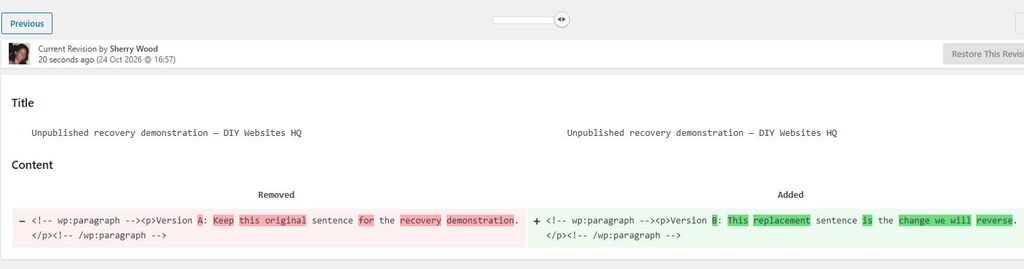
| Recovering an earlier draft | I saved two versions and recovered the original wording in WordPress. This was a post revision drill. | Recovery steps and screenshot |
| Installing WooCommerce · November 13 | On Totally Michigan, the installer required a WA WooCommerce hosting package. The plugin was absent from the installed list after the attempt. | Plugin compatibility checklist |
| Choosing a SiteRubix practice address · November 14 | The public signup form opened. The signed-in builder accepted an available example address and showed the WordPress theme picker. | Dated SiteRubix walkthrough |
Check what you’d take with you if you ever leave. My Wealthy Affiliate cancellation and website move guide covers backups, domain control and email.
My experience using WA hosting
Building and maintaining a live WordPress site
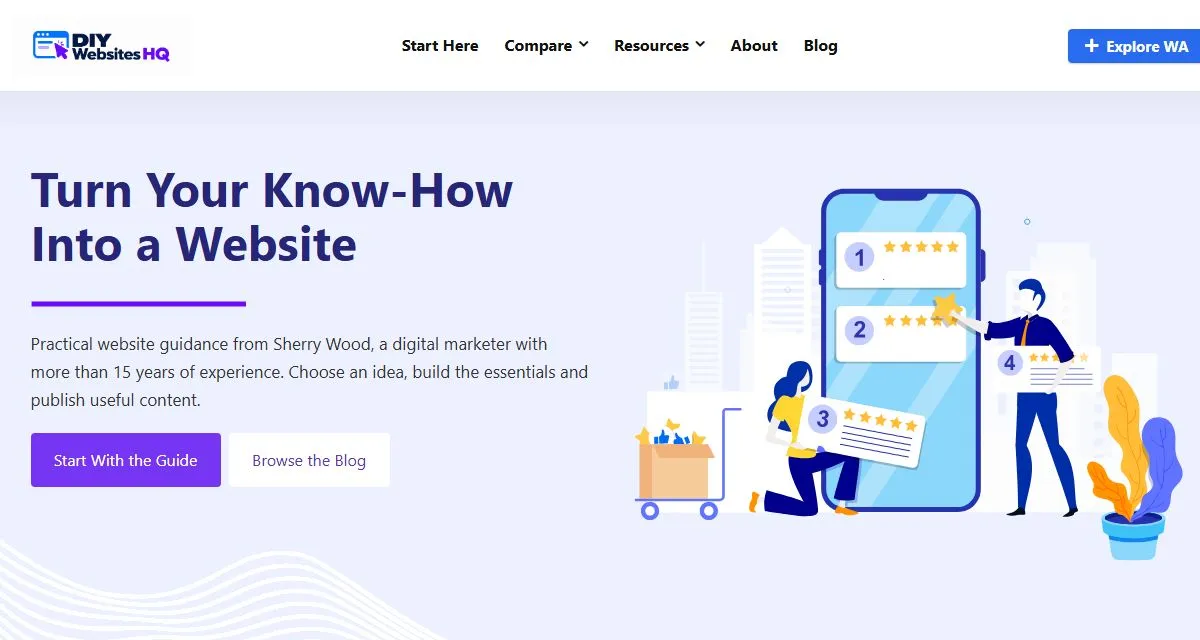
DIY Websites HQ runs WordPress with the REHub theme on WA hosting. My build record shows the real homepage and documents the October 24 publishing checks, including 39 intended pages and articles opening at their expected addresses. The backup and restore guide documents a recovery drill and what I verified afterward. Those checks tell me more about owning the site than a list of hosting features does.
Where I hit a hosting limit
On November 13, I opened the WordPress installer for my TotallyMichigan.com site through WA and tried installing WooCommerce. WordPress displayed the usual Install Now button, then blocked installation and said it required a “WA WooCommerce” hosting package. I checked Installed Plugins afterward and WooCommerce wasn’t there. The package also didn’t appear in my WA add-ons catalog when I checked. Ask WA to confirm your account’s WooCommerce package availability, billing and activation before committing to host a store there. My WA hosting and plugin compatibility checklist shows what to verify on the plan you intend to buy.
Who should try it?
- New content-site owners: Use the free SiteRubix practice site to see whether you can publish a page and feel comfortable in WordPress before buying a plan.
- Experienced WordPress users: Compare the complete bill and the features you actually use. My hosting comparison covers stand-alone alternatives.
- Store owners: Verify the checkout and fulfillment plugins you need on the exact hosting plan. Include a recovery plan and confirm how you can move the site if your requirements change.
For the public monthly and yearly prices, allowances and renewal differences, see my Wealthy Affiliate pricing guide.
Do you want a platform or hosting alone?
Wealthy Affiliate currently presents website tools, hosting, training, community and AI-assisted workflows as parts of its platform. If you want guidance alongside a website setup, that combination may be relevant. If you only need a place to host a site you already know how to manage, compare it with hosting-focused alternatives as well.
Write down the parts you expect to use. A package can be convenient, but unused features do not automatically make it good value for you.
Does the specific plan match your requirements?
Check the current allowance for websites, storage, domains, credits and any tools you plan to use. Confirm what is included in the plan you are actually considering, rather than relying on an older review or another member’s account.
Special arrangements on an existing account should not be treated as the standard allowance for new members. If a limit is important to your project, get the answer before you commit.
What will you pay at renewal?
Record the current price, the billing term, renewal charges and any separate purchases. Compare the total with the cost of the hosting, training and other tools you would otherwise choose.
Do not base the decision on an assumption that affiliate commissions will cover the membership. Your expenses are real even while you are still learning and have no revenue.
Will you use the training and community?
A structured place to learn can be helpful if you work through the material and apply it to a real project. Consider how you prefer to learn: written lessons, video, live sessions, independent documentation or direct help.
Before upgrading, identify one concrete project you want to complete and the type of support you expect to need. That gives you a more useful test than simply collecting access to another platform.
What are your expectations of AI and automation?
AI-assisted drafts and images still need human judgment. Check facts, sources, product details and the rights attached to material before publishing. A convenient workflow does not remove the work of making a website accurate and useful.
Also ask how you would maintain backups and move your website if your needs changed. Read the provider’s current terms rather than assuming that every service works the same way.
Compare the work you need to do
A platform membership, a hosting plan and a course can overlap without solving the same problem. If you only need hosting, read our WA, Hostinger, Namecheap and WordPress.com comparison. It separates initial payments, renewals, domains, email and recovery requirements.
If your priority is training and AI implementation, use the current WA vs. Authority Hacker comparison. It distinguishes today’s AI Accelerator offer from discontinued legacy courses and includes a membership cost chart. Start with the Compare section if you are still deciding which problem to solve.
Jaaxy and overlapping subscriptions
WA’s October 14, 2026 announcement says Jaaxy has retired and keyword planning now uses Ace and Hub plans. Former features are still being rebuilt. Check the exact capability you use rather than assuming every former report already has an equivalent. Our keyword research guide explains a practical workflow.
Audit recurring bills by product, account and renewal date. Keep a separate tool when it supplies a distinct report you use and can justify. Before ending access, export any records you need and save cancellation confirmation. Legacy membership terms may differ from today’s public offer. Avoid canceling a hosting membership while trying to remove a separate tool subscription.
A practical first-week test
Evaluate one complete project rather than touring every feature. Imagine a website for first-time balcony gardeners. This is an illustrative exercise, not a measured business result. Name the audience, outline one useful beginner guide and identify two related questions.
- Define a finished outcome: a clear homepage, an About page and one researched article ready for review.
- Use the planning workflow: check whether the suggested topics fit your audience. Revise ideas that are broad, repetitive or outside your expertise.
- Build and edit: create a page, check navigation and view it on a phone. Record the steps where you need help.
- Verify a draft: check facts and add a useful source, original example or clearly described observation.
- Review the experience: did the tools help you finish, and can you explain the specific limitation a paid plan would remove?
A useful test ends with work you can inspect. Generating a folder of unreviewed drafts does not show whether the service fits your publishing habits. If a task remains confusing, ask a focused question before buying more capacity.
Who should consider another route first?
If you already manage WordPress confidently and only need a host, compare infrastructure directly. If you need a complex store, client portal or specialist application, write the technical requirements before assuming a content-site platform fits. If you already run a business and want to improve repeated work, define that process before shopping for AI training.
WA is worth investigating when the connected planning, learning and website workflow helps you finish useful work. The convenience matters only if you use it. Choose a modest project and a realistic schedule; a bigger allowance does not create more working time.
If you’re considering recommending the platform yourself, see my guide to Wealthy Affiliate commissions, tracking, and payouts.
What to measure after a month
- Have you published the essential pages and a small set of connected, helpful articles?
- Can a visitor understand the site’s purpose and find the next answer?
- Can you edit, back up and maintain the website confidently?
- Which features did you use, and which separate subscriptions still serve a distinct purpose?
- What planned work justifies the next bill?
Search and sales data may take time to develop. Use the first month to learn whether you can operate a useful site and maintain a sustainable process. The first 30 days plan turns that workload into concrete tasks.
A sensible next step
I may earn a commission if you join through this link.
If the combination fits your needs, explore Wealthy Affiliate’s current options. Keep your goals, budget and required features beside you while reviewing them.
If you are still deciding what your website will do, complete the planning and budget guides first. A clear project makes any platform easier to evaluate.
Does joining guarantee a profitable website?
No. Membership provides access to the offering you choose; it does not guarantee visitors, sales or income.
Should I trust older reviews for current prices and limits?
Use them for context, then verify current details with the provider. Plans and allowances can change.
Keep building
- Domain vs. Hosting: What You Actually Need for a Website
- What Does a DIY Website Really Cost? Build a Sensible Budget
- Affiliate Marketing Basics: Recommend Helpfully and Disclose Clearly
Follow the complete starter guide →
Sources and further reading
Put this into practice
- Wealthy Affiliate Pricing: Compare the Plans Before You Upgrade
- Your First 30 Days Building a Website: A Practical Publishing Plan
Affiliate disclosure: I may earn a commission if you purchase through links to Wealthy Affiliate in this article. DIY Websites HQ is independently operated and is not Wealthy Affiliate’s official website.
Keep building with a focused guide
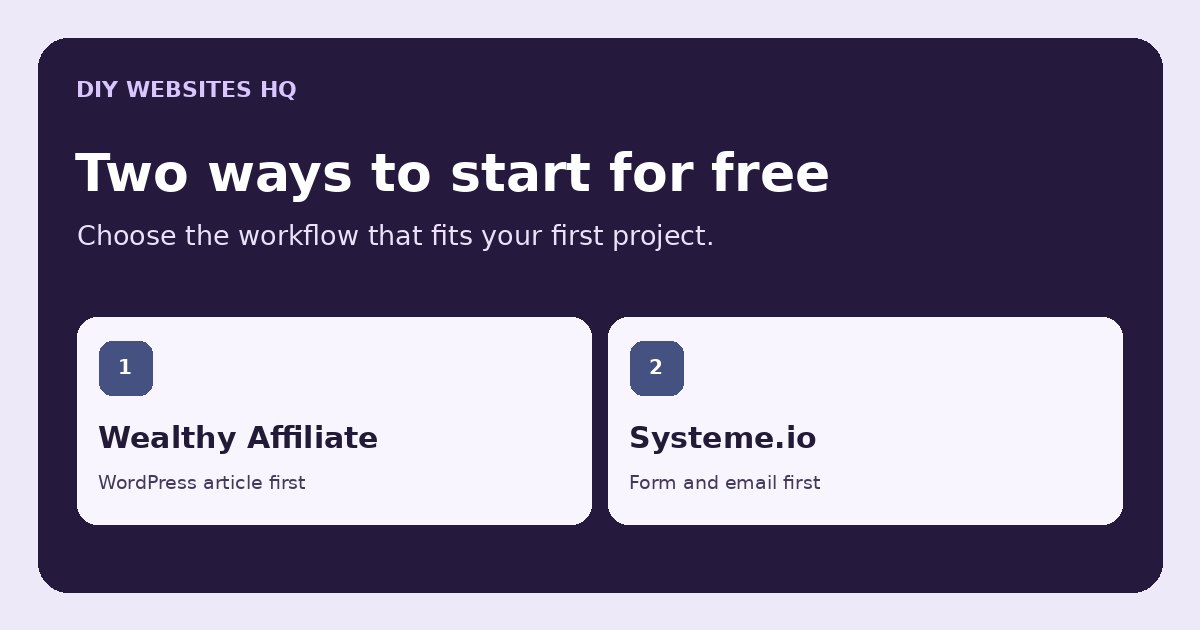
Match the starting option to the experience and pace you want to bring to the project.