Sherry Wood
SiteRubix is the free WordPress practice website included with Wealthy Affiliate Starter. You get one website on a siterubix.com address. You can use it to learn WordPress and publish a first page before deciding whether a custom domain or paid membership is worth it.
As of November 13, 2026, WA lists a free Starter account with one practice site and 4,000 one-time credits. A custom domain is a separate purchase, and hosting a site on that domain with WA requires a paid plan. Check WA’s current terms and allowances.
How to set up a free SiteRubix website
Here’s the current route through the builder. I checked the public signup form and then walked through address selection and the WordPress design picker in my signed-in Wealthy Affiliate account on November 14, 2026. These screenshots show where the main choices are. I stopped before launching the example address. Starter is the free plan, and which options you can see after signing in depends on your account.
1. Open the Starter signup form
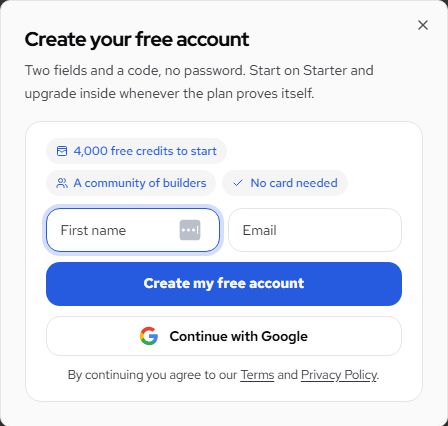
Open the free Wealthy Affiliate Starter signup, then choose Create free account. If you later join a paid plan through this link, I may earn a commission at no extra cost to you. The form gives you the option to enter an email address or continue with Google. The form I opened had no payment fields. Start with the free account when your goal is to see whether you can build one page comfortably.
2. Pick a practice address
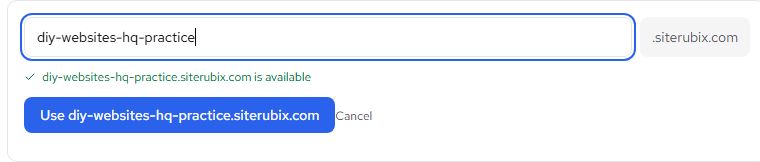
In the signed-in dashboard, the route I verified was Websites → New website → Start free on a .siterubix.com subdomain. Type the name you want. The builder checks availability and offers a Use button for the available address. Select it, then choose Continue — pick a design. Use a short, readable practice name while you’re learning. You can decide on a permanent brand and custom domain after you know whether the project suits you.
3. Choose a WordPress theme
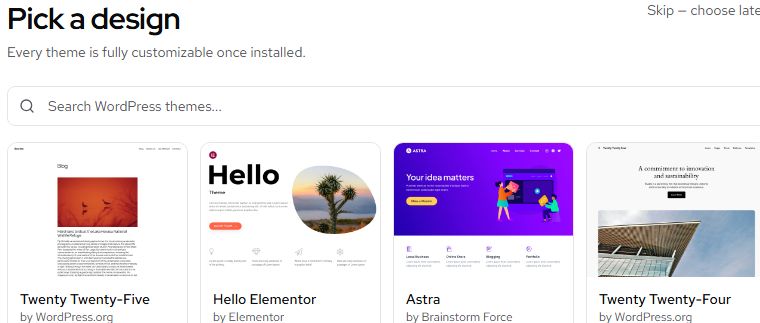
The builder then shows a searchable theme picker. I saw Twenty Twenty-Five and other WordPress themes. A simple theme works well for a practice site because you can focus on your first page. Pick a design, continue to the launch step and check the address and settings before making it public.
4. Set yourself one publishing test
Wealthy Affiliate documents access to WordPress admin from its Websites area. Once your site is ready and your account gives you editor access, write a short answer to a reader’s real question, preview it on your phone, then check the published link in a separate browser. Try one descriptive photo with alt text and a working link. Use my WordPress publishing walkthrough for that part. If your goal is a public business on your own name, compare the published plan limits before registering a domain or buying hosting.
Before writing, use the one-article content brief to choose a reader, question and sources. The free printable worksheets include a matching one-page brief; no email signup is required to download it.
What to put on your first practice page
Give the page a job small enough to finish in a sitting. Using the herb-garden example below, you might title it “Which Herbs Can I Grow on a Sunny Apartment Windowsill?” Open with a short answer, then explain how to choose between basil, chives and mint based on the space available. Note which plant needs its own container and why. Add one source or a photo you own. Give the reader one useful action, such as measuring the light in the spot where they want to put their pots.
Set the URL before sharing the page. You can use a short path such as /windowsill-herbs/ for this example. In preview, check whether the opening sentence answers the title, the photo has suitable alt text and the page fits on a phone. Open every link. Avoid publishing contact details, invoices, or anything else you happen to have on screen during the test.
If you see a WordPress dashboard but can’t publish, check whether you’re editing a page you can publish with your current user role, whether the page is still a draft, and whether the hosting account has finished setting up WordPress. Give any error message to support exactly as it appears. If a control is missing on Starter, check your account’s current allowance before assuming a paid feature is included. Record the issue so you can compare plans based on what you actually tried.
Decide what to keep after the test
Write down the parts you completed and where you stopped. A useful first session might produce one finished page, a list of three reader questions and a rough idea of the time the next article would take. If you spend all your time configuring a theme, pause and go back to the first reader question. That will tell you more about whether the platform suits your workflow than looking through a dozen templates.
Keep a copy of the page text, original image and links outside your hosting account. Label screenshots with the date and what they show. If you eventually want to switch from the free practice address to a custom domain, list the published URLs, confirm how the platform handles the old links, and use the same short page paths where practical. An outside visitor can tell you whether the address and page are understandable without an explanation.
When I’d consider an upgrade. Make the first page do its job before pricing anything. I’d look at the paid plans when you need a permanent custom domain hosted on WA, a second site, or more capacity than Starter gives you. Confirm the exact requirement in the pricing and plan guide. If you’re planning to move a practice site or leave WA later, use the website move checklist before changing anything.
I use WA’s WordPress hosting for DIY Websites HQ on my own domain. You can see the finished site and a real homepage screenshot in my website build record. If you’re already choosing a domain, follow my WordPress domain setup guide. For my experience with the hosting and its limitations, read my Wealthy Affiliate review.
Affiliate disclosure: I may earn a commission if you join a paid plan through my links, at no extra cost to you. DIY Websites HQ is independently operated.
Start with the free website and a real idea
Explore the Starter account, choose a topic and see how the website-building workflow feels. Paid plans are optional purchases.
Create Your Free WA Starter Account →$0 Starter account · No credit card · One SiteRubix practice website
If you’re ready to keep the pages from your practice site, follow my guide to moving SiteRubix to your own domain.
What is included in the free Starter account?
The current official offer lists the following. These are Starter allowances, not the larger recurring allowances advertised for paid memberships.
| Included | How it helps you begin |
|---|---|
| One SiteRubix practice website | Build and learn on a siterubix.com address before choosing your own domain. |
| Your first business Hub | Keep your audience, idea and working plan together. |
| 4,000 starter credits | Try credit-consuming work with Ace and the creation tools. This is a starting allowance. |
| Ace, up to 20 messages daily | Ask questions and develop your plan within the account’s usage limits. AI work also uses credits. |
| Community access | Learn alongside other people building online businesses. |
Check WA’s official feature comparison for the current allowances. Our membership pricing guide explains the paid options separately.
Is the free website still SiteRubix?
Yes. WA describes it as a “practice site,” and its current FAQ says it uses a siterubix.com address. That is different from registering a custom address such as yourbusiness.com. The free site is a starting environment for building and learning; check the current account terms before deciding how you want to launch a long-term business site.
You can read the official website and hosting details without relying on older reviews that list different site counts or retired tools.
What training can you use?
WA combines guidance from Ace, community help and its learning resources. There is also a useful new option: Jay’s weekly expert classes are being opened to people outside WA. Kyle’s October 31, 2026 announcement explains the free class and replay-sharing experience.
Read our free WA classes guide for a practical way to learn from a session. The class content and the tools used in it are separate considerations: following every demonstration may require credits or a paid membership. This article does not promise that every course or every platform feature is unlimited on Starter.
Your first project: one audience, one useful answer
Choose a topic you can explain from experience or are willing to research carefully. “Gardening” is broad. “Helping apartment renters grow herbs on a sunny windowsill” gives you a reader, a setting and concrete questions to answer.
A useful first page for that example could answer: which herbs fit a small window, what containers need drainage and how does a beginner avoid overwatering? You can help the reader before adding any affiliate links. That makes the site useful from its first few pages.
- Describe your reader. Write one sentence about who the site helps and the problem it solves.
- List five real questions. Use conversations, your own experience and reliable source material. Avoid choosing topics only because a tool produces a long list.
- Open the free Starter account. Use the Hub to organize the idea and look through the practice-site workflow.
- Draft one answer. Give the reader clear steps, examples and sources. Check every factual claim before publishing.
- Make the basic pages clear. Explain who you are, what the site covers and how someone can contact you.
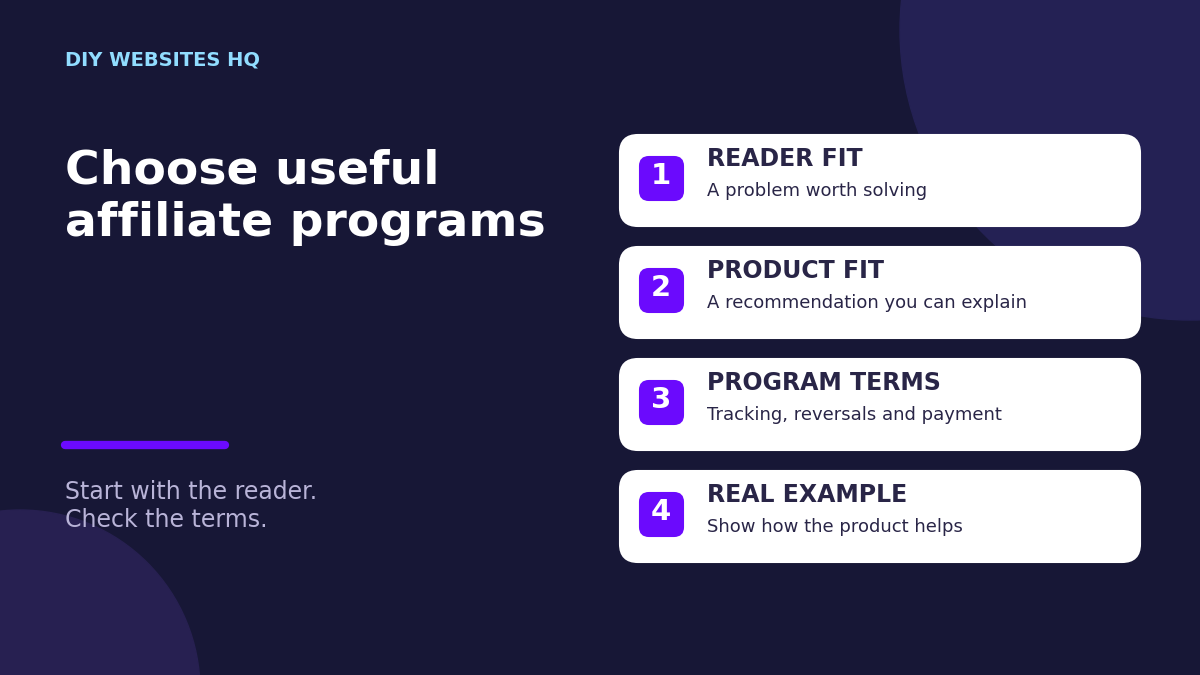
- Choose a relevant affiliate program. Read its approval, link, disclosure and payout rules. Membership in WA does not automatically approve you for other companies’ programs.
- Review before expanding. Read the page on a phone, check links and ask whether it answers the question you promised.
Our website idea guide, affiliate marketing basics and affiliate-program checklist take those steps further.
How could an affiliate website earn money?
An affiliate program may pay you when an eligible reader action is attributed to your link under that program’s rules. You might explain a product, compare suitable options or show how something is used. A click alone does not establish a sale or commission.
For the herb-site example, a comparison of containers could include an affiliate link only when the product genuinely fits the reader’s needs. Keep the recommendation useful, identify the commercial relationship clearly and distinguish products you have tested from ones you have researched.
You do not have to promote Wealthy Affiliate to build an affiliate business. Your topic and audience can lead to other relevant programs. Starting a website does not guarantee visitors or income.
When would you consider paying?
First complete a small project. Then decide whether a paid plan would solve a specific limitation, such as more creation capacity or the hosting arrangement you want for a custom-domain site. Read the full amount due, renewal terms, website allowance and any additional domain or credit costs before purchasing.
If you already have hosting and a working publishing system, compare the overlap. If you are learning the process for the first time, evaluate whether having related tools and help together makes your next step easier.
Give the idea a first page
You do not need a finished business plan to begin learning. Start with a reader you understand, one question you can answer well and the free practice environment. See whether you enjoy doing the work before making a larger commitment.
Start Free and Build Your First Page →Follow the first-30-days website plan · Get the free planning worksheets
Starter details last checked November 13, 2026. WA’s Starter FAQ, official pricing, website details, and Kyle’s free-classes announcement. Offers and access can change.