Sherry Wood
A website content brief is a short plan for one piece of content. It states who needs the article, what they should be able to do afterward, what evidence the writer needs and where the article belongs on the site. You can make one in a plain document. It does not require a paid research tool or a complicated template.
The useful part is the decision-making. A brief helps you notice that your proposed “beginner guide” actually contains three different tasks, or that your strongest recommendation rests on an assumption you have not checked. Resolving those questions before writing saves an awkward rewrite later.
This guide includes a worked example for a small-space jigsaw-puzzle website, plus a copyable brief you can use for your next article. The example is fictional; it is a planning exercise, not a claim about a tested product or an operating business.
Start with the decision the reader needs to make
Write one sentence that starts with “After reading this, the reader can…” Finish it with an observable action. “Understand puzzle storage” is too broad. “Choose a temporary puzzle-storage method that fits under their own sofa” gives the article a practical destination.
Now add the situation. Is the reader borrowing a dining table? Do they need to move an unfinished puzzle every evening? Are pets able to reach the storage space? A recommendation that ignores those constraints may sound sensible while failing in the reader's home.
For a business website, the destination might be preparing an accurate quote request. For a how-to article, it might be completing a small task safely. For a comparison, it might be deciding which option fits a named requirement. Avoid giving every article the same destination, such as “buy the product.” Some useful articles help a reader realize they do not need to buy anything yet.
Example outcome: A beginner with one shared table can measure the available storage space, compare a board with a roll-up mat and identify which limitations to check before purchasing.
Describe one reader instead of everybody
A brief does not need an elaborate customer persona. Three concrete facts are usually more useful than an invented biography: what the person already knows, what they are trying to accomplish and what might prevent them from succeeding.
Our puzzle reader knows the size printed on the puzzle box but may not know that the usable work surface needs to accommodate the finished puzzle. Their problem is storing an unfinished project, not choosing a puzzle brand. They have limited space and may have a small budget. Those details shape the order of the explanation.
Do not assume circumstances that the article cannot support. If you have no accessibility testing, do not promise that a board is easy for someone with limited grip strength. Put that question in the research list. Likewise, an article aimed at renters should not casually recommend drilling storage brackets into a wall.
If you cannot describe the reader's situation, look at the questions you actually receive, the language in relevant support discussions or your existing site's search queries. Treat those as clues to investigate, rather than permission to copy other people's stories.
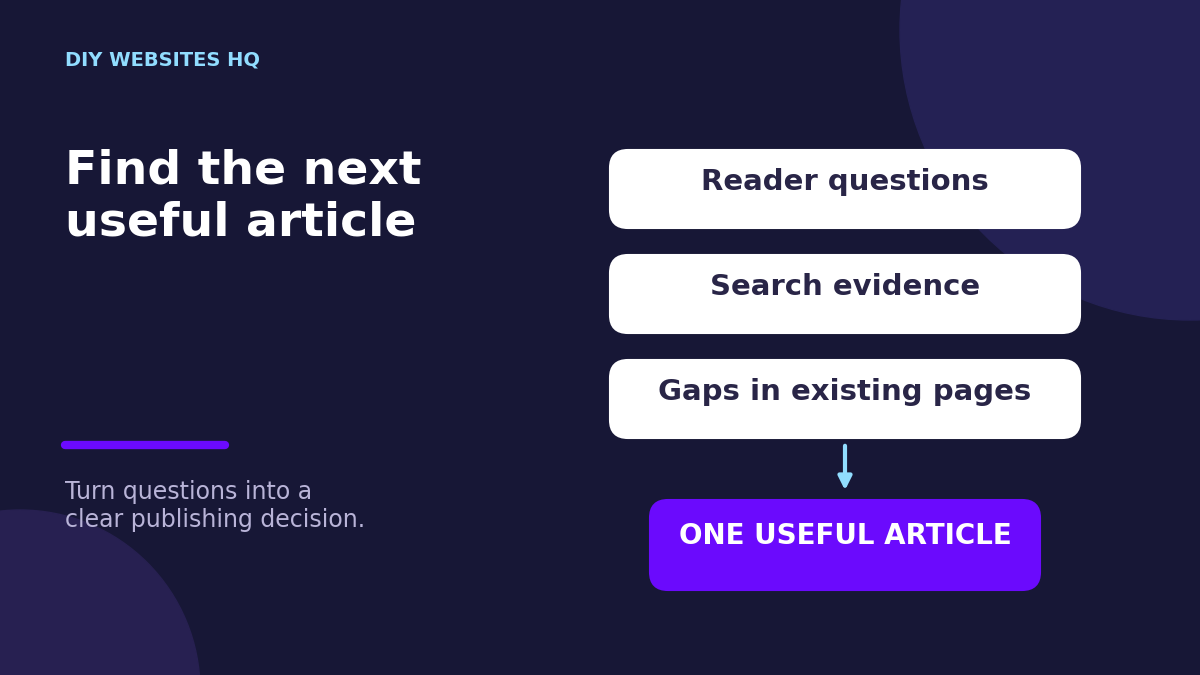
Check whether your site already answers the question
Search your own published titles and open the closest matches. Write down what the new article adds. A different headline alone does not establish a different purpose. “Puzzle storage tips” and “How to store puzzles” may be the same article unless their tasks differ.
In our example, a general storage guide might introduce all the options. The new article can earn a separate place by concentrating on the measurement and clearance checks for under-sofa storage. Link the two pieces so the reader can move from the general choice to the specific task.
Sometimes updating an existing guide is the stronger choice. If the older article is already about the same decision, improve its missing example, photographs or explanation. Do not create a second nearly identical page merely to put another item on the publishing calendar.
Record the intended content type, too. A time-independent buying guide may still be a Blog post on your site. Your About, Contact and Editorial Policy content belongs on separate Pages. The site's Pages versus Posts guide explains that distinction; check your actual site structure before adopting any route.
Make an evidence list before an outline
Separate what you know from what you need to verify. For a product article, your list might include the manufacturer's dimensions, the actual usable surface, the storage thickness and any stated cleaning limits. A retailer's promotional photograph is not evidence that a board fits beneath a particular sofa.
Use a small evidence table with four columns: claim, source, status and limitation. A checked source may still have limits. A manufacturer's maximum puzzle-piece count does not guarantee that every puzzle with that count has the same dimensions. A firsthand measurement applies to the item and conditions you actually measured.
For the fictional example, one evidence entry could read: “Finished puzzle dimensions; puzzle-box specification; not yet checked; varies by puzzle.” Another could read: “Available clearance; reader's own measurement; reader action; include carpet and any protruding handles.” The brief should make those distinctions visible before the draft turns them into confident statements.
Keep a private record of sources and the date you checked changeable facts. Publish useful source links where readers need them. Do not turn an unchecked claim into a fact simply because an AI tool produced fluent wording for it. AI can help organize the research questions; the questions still need answers.
Build an outline around a usable sequence
An outline should follow the reader's task. For our example, the natural order is: identify the finished puzzle size, measure the storage space, allow for the board's full external dimensions, compare the storage methods and decide what to check next. Starting with ten product recommendations would skip the measurement that determines whether any recommendation fits.
Use headings that name the work the section performs. “Measure the narrowest opening” tells the reader more than “Important considerations.” Put exceptions close to the relevant advice. A warning about loose pieces sliding on a tilted board belongs beside the moving step, not hidden after the conclusion.
Specify the example or visual each section needs. A labeled measurement sketch could explain clearance better than another decorative laptop photo. A simple comparison table could distinguish a flat board from a roll-up mat without assigning unsupported scores. In your brief, describe the visual's purpose before choosing its appearance.
You can read the W3C heading tutorial for the accessibility principle behind a meaningful heading hierarchy: headings help communicate and navigate the document's organization. In the actual article, keep the page title as the main heading and use ordered subheadings for the sections.
Decide what the article will deliberately leave out
Scope limits make a brief easier to use. The under-sofa article does not need a history of jigsaw puzzles, a full craft-room makeover or a comparison of every puzzle brand. A short link to a related guide can serve the reader without expanding the article into a different project.
Write two or three exclusions. For example: no permanent furniture alterations, no claim that storage is childproof and no current-price comparison unless prices are checked before publication. Those exclusions protect the article's focus and expose extra research work before it is accidentally promised.
Scope limits also help when someone else writes or edits the piece. Instead of saying “make it comprehensive,” identify the decisions that must be covered and the adjacent topics that should be linked elsewhere. Completeness means finishing the intended task, not mentioning every related noun.
Choose a sensible next step and internal links
Give the reader a next step that follows from the work. In the example, that may be a measurement checklist or a broader guide to temporary puzzle storage. An affiliate product link can be useful after the fit checks, with an understandable commission disclosure where the recommendation appears.
List two or three internal links in the brief and state why each helps. A link to a beginner guide supplies background; a comparison supports a choice; a checklist helps the person act. Avoid inserting unrelated links merely because you want every new post to point at the same sales page.
If the article is part of a larger series, name its parent guide. Add a note to update that parent after publication. A new article that can only be found through a direct URL has not been fully integrated into your site. Our guide library shows how published articles can be collected in a reader-facing destination.
Copy this compact content brief
Use the following fields in a document. Leave uncertain facts explicitly marked for research; do not fill the gaps with plausible details.
- Working title: A clear description of the reader's task.
- Content type and proposed URL: Blog post or permanent Page; check for an existing equivalent.
- Reader situation: Existing knowledge, practical constraint and immediate goal.
- Finished outcome: “After reading this, the reader can…”
- Unique contribution: The example, method, evidence or explanation this article adds.
- Evidence needed: Claims, primary sources, firsthand checks and limitations.
- Outline: The steps or decisions in a useful order.
- Visual: What it explains; where the image or data comes from; permission and alternative text.
- Outside scope: Adjacent questions this article will not try to answer.
- Next step and related links: Relevant destinations, with a reason for each.
- Review trigger: The event or changing fact that would require another check.
Give the brief a simple status: research needed, ready to draft or ready for review. Do not label it publication-ready while a central claim is still unverified. A concise, honest brief is more useful than a polished document with hidden gaps.
Use the brief again during the final edit
Once the draft exists, compare it with the intended outcome. Can the reader actually make the decision? Did the example become harder to follow than the task itself? Did a promotional claim slip in without evidence? Remove anything that distracts from the article's purpose, and resolve any fact that the brief left open.
Google's helpful-content guidance encourages original value, reliable evidence and a satisfying answer for the intended audience. It does not prescribe a preferred word count. Use that as a quality check, not a formula for making every article the same length.
For your next post, start with just the reader, outcome and evidence fields. When those are clear, build the outline. If you still need to choose the website itself, begin with the Start Here guide before planning a large publishing queue.